
If your bank account fails to receive a payout, you'll need to add another bank account.
Unfortunately, a payout might fail when transferring to your bank for a variety of reasons. Some of these include the bank rejecting the money, fraudulent charges on your account, etc. Switching to a different bank account will trigger the payout to automatically process on the next business day.
To trigger a new payout:
You'll first need to add a new bank account to your merchant account before you're able to delete the original one.
Tap the Commerce tab.
Tap on Merchant Settings below your Account Balance.

Tap + Add Bank Account
Enter the Account and Routing Number of the account you want to add.
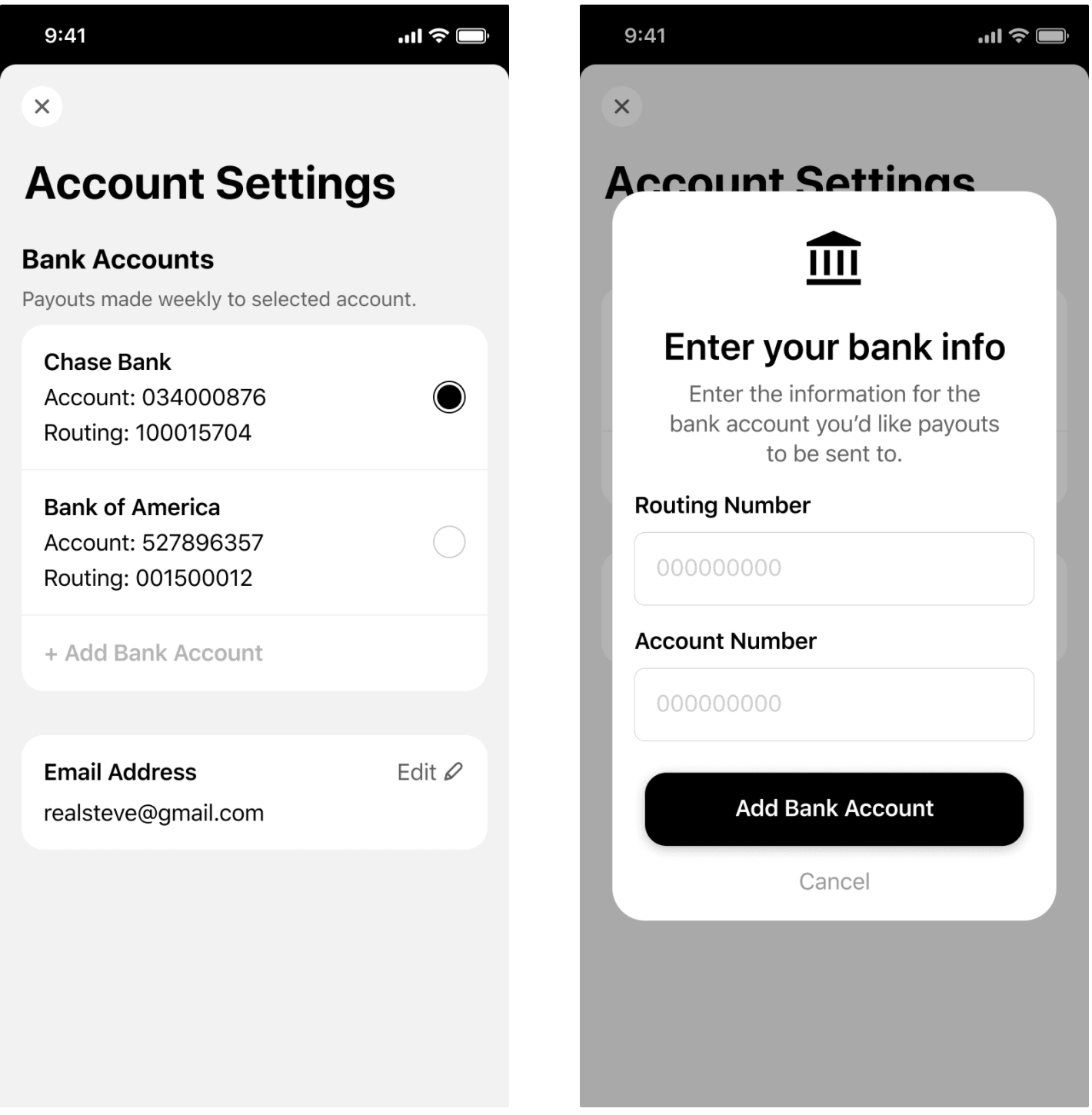
Tap Add Bank Account
After adding the new bank account, you can select the bubble on the right hand side to make it the default account for your site.
To remove the first bank account that failed, tap the account name and then tap Remove Account
Click here to find out more information on payouts.
🌟 If you run into any issues with this process, please reach out to Universe Support in the app or by email [email protected] and we'll be happy to trigger this for you